Product tour

The login page is the start. This is the rest.

Every screen below is a real capture from the demo account: three fictional venues, each on a different template with its own logo. Names and numbers are demo data.

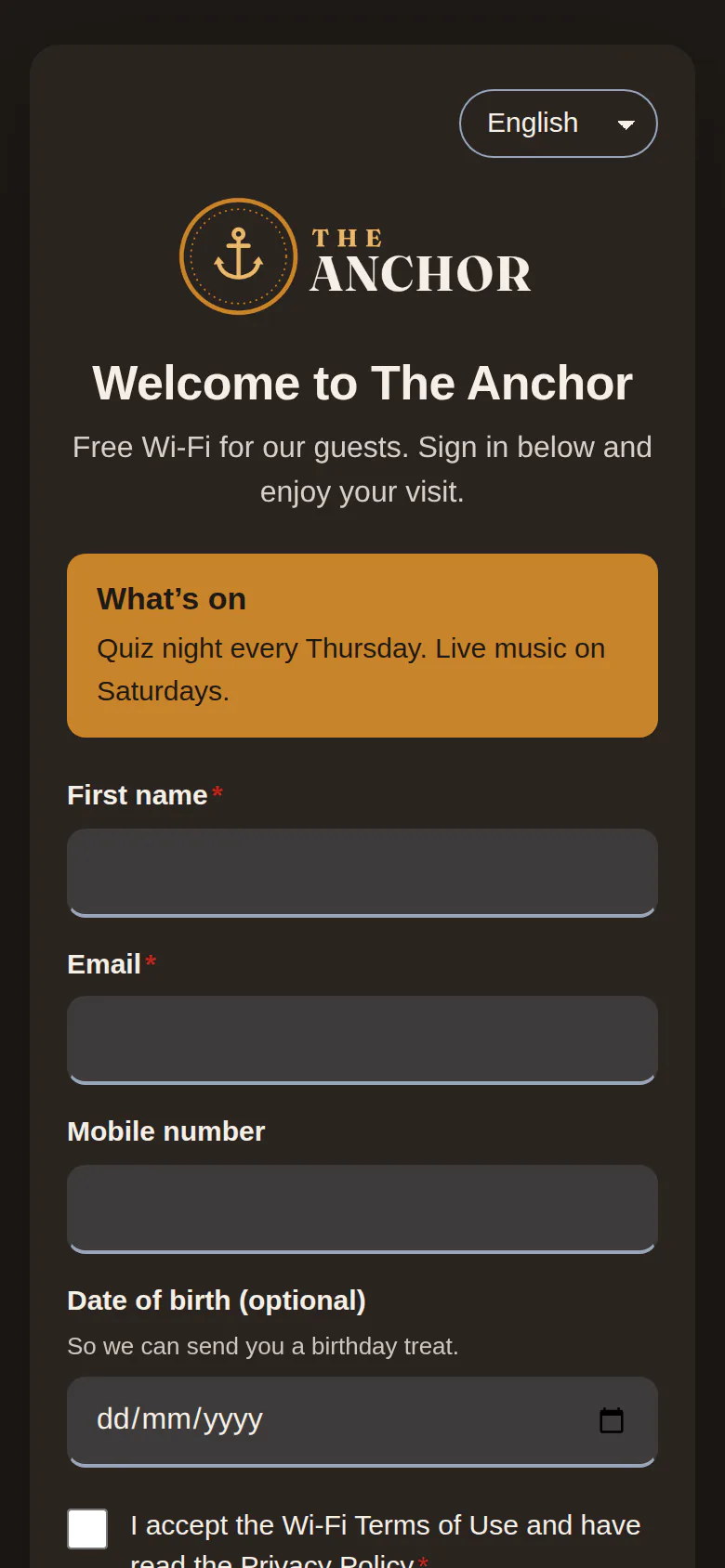
Sign-in page for The Anchor, a demo pub, on the pub template: dark wood and amber with a what’s-on announcement
Pub template
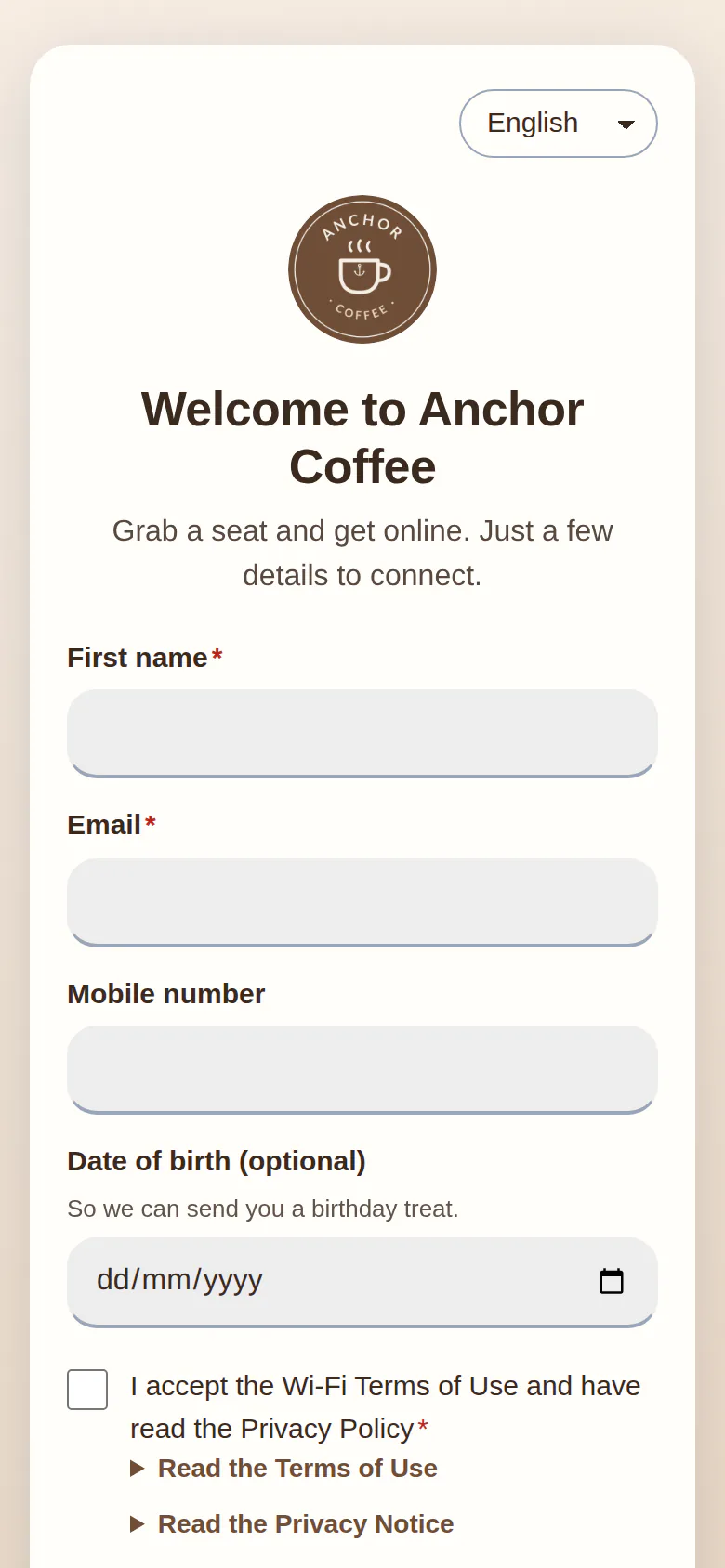
Sign-in page for Anchor Coffee, a demo café, on the café template with a round logo
Café template
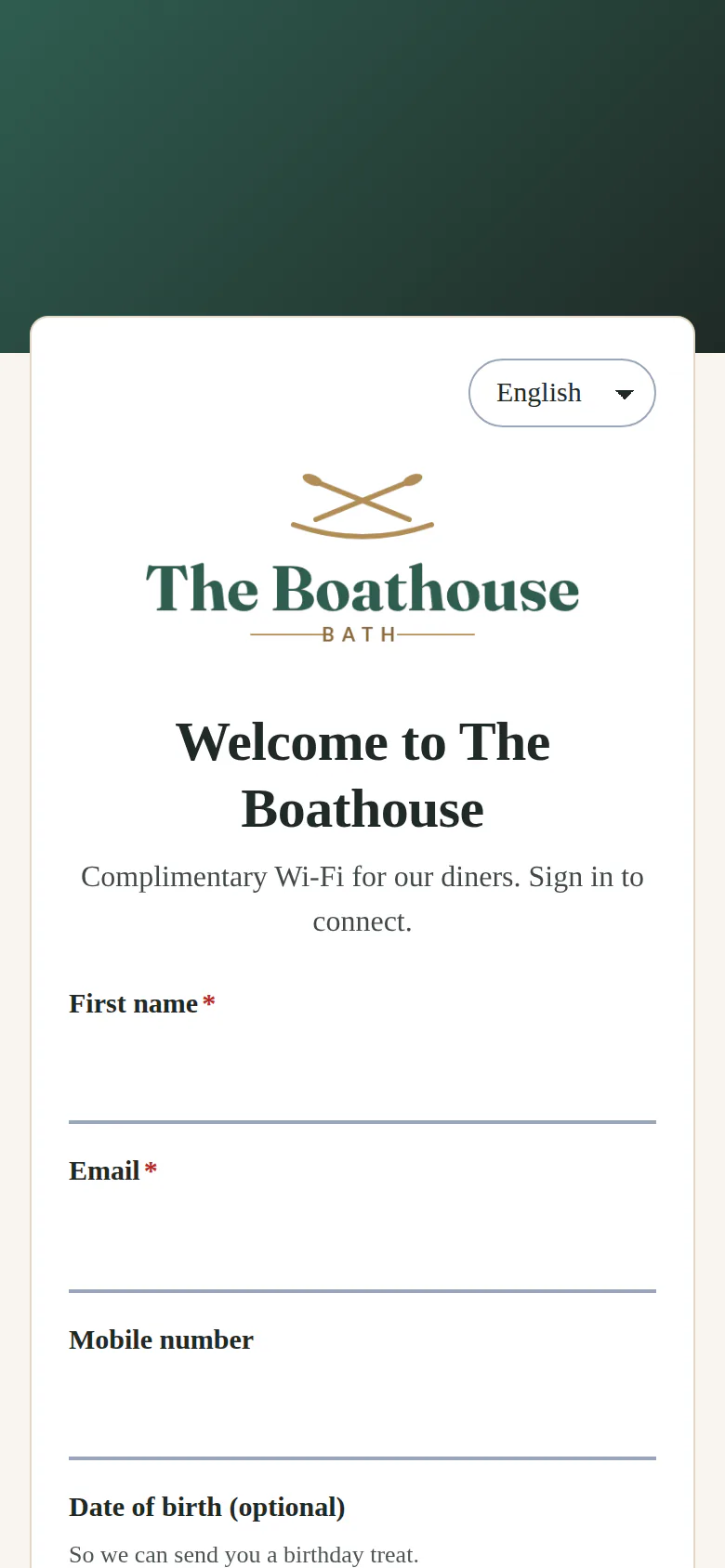
Sign-in page for The Boathouse, a demo restaurant, on the restaurant template’s split layout
Restaurant template
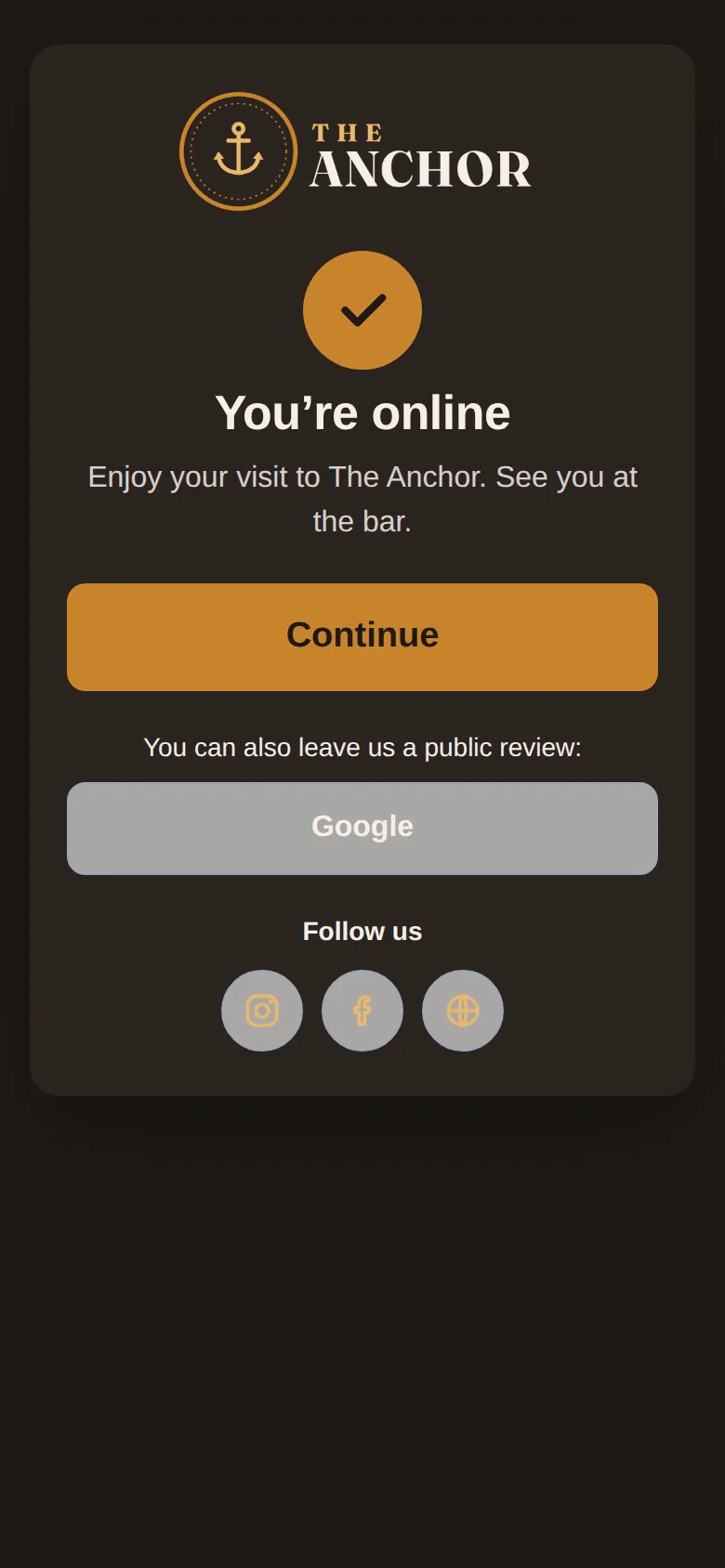
"You’re online" screen with a review link and follow-us buttons
"You’re online" screen
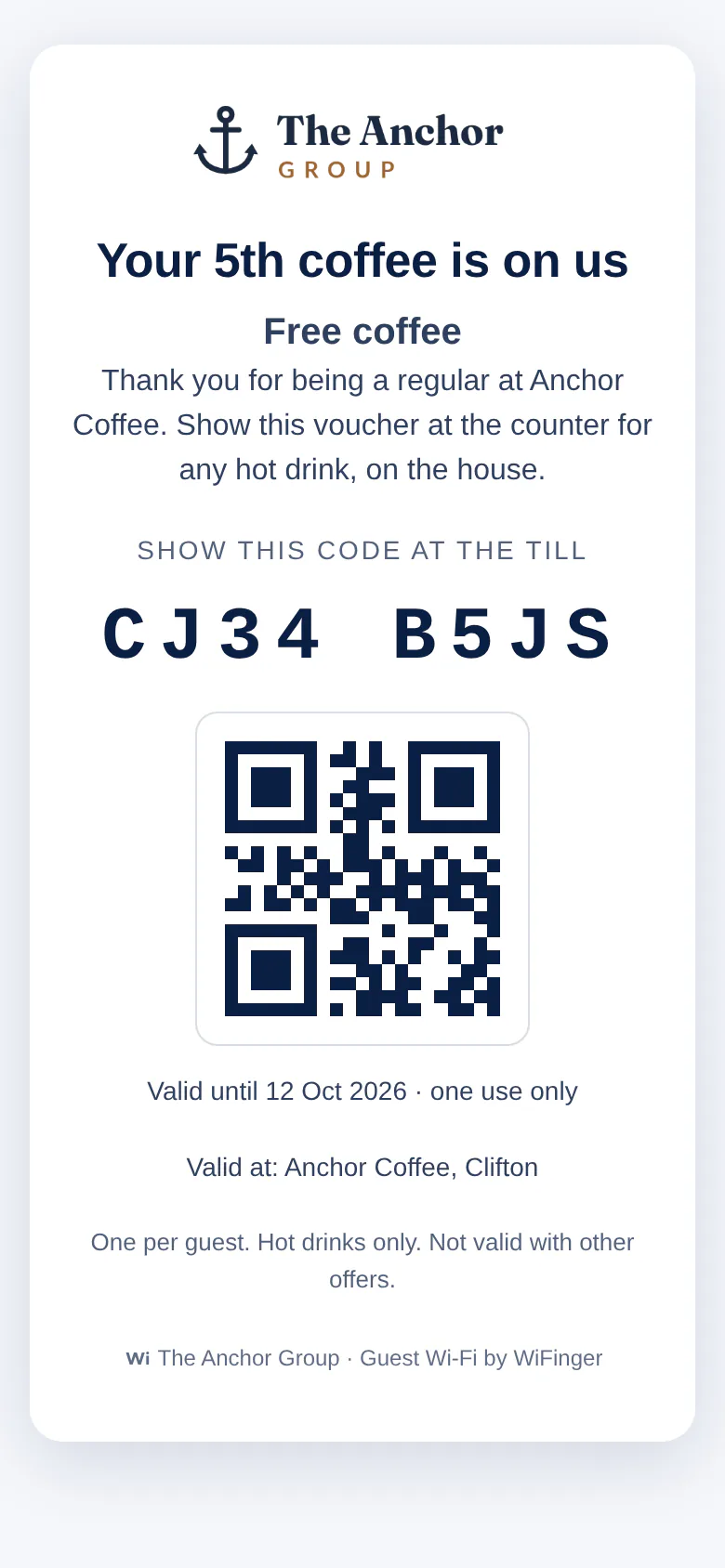
Single-use voucher with its code and QR, shown at the till
Voucher at the till

Portal & templates

A login page in your colours, with your logo, on every access point. Pick one of eight sector templates as a starting point, then change as much or as little as you like in the live-preview editor.

  • Templates for pubs and bars, cafés, restaurants, hotels, retail, gyms, salons and event venues
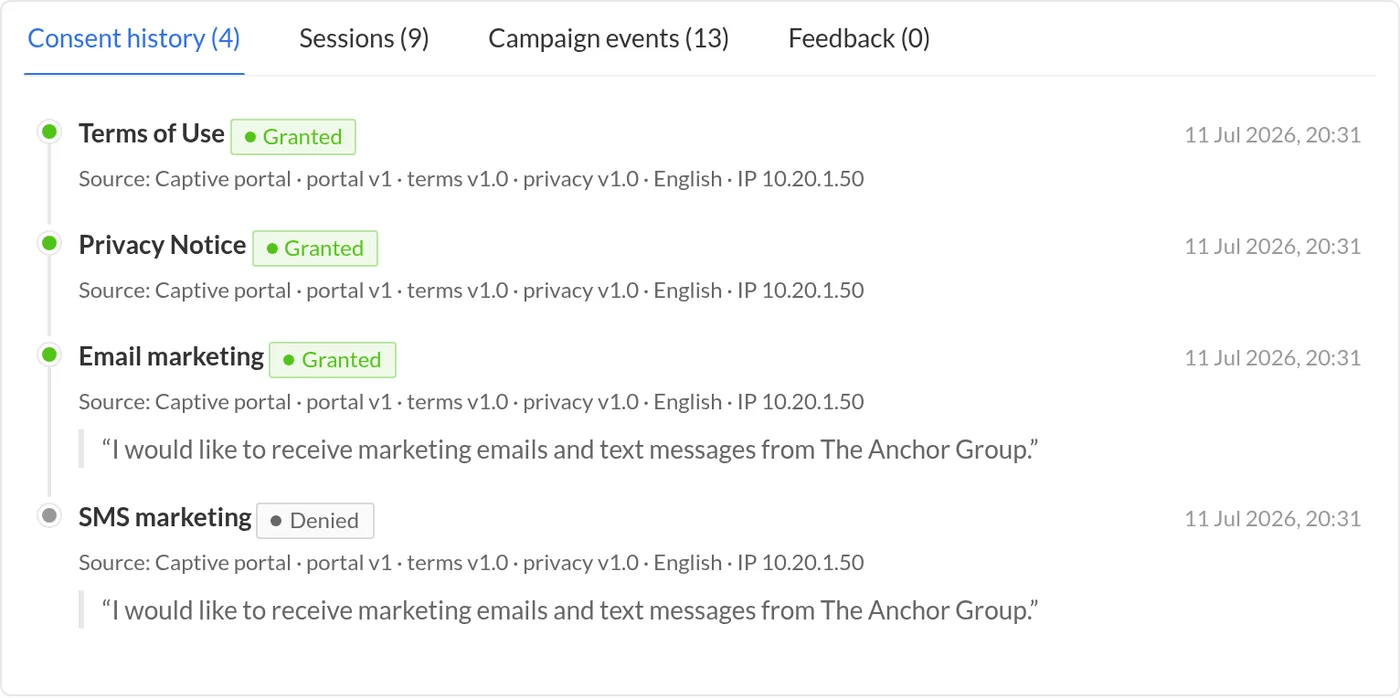
  • Terms, privacy and marketing boxes kept separate; marketing can never be pre-ticked or required
  • A portal per venue, each with its own logo, colours and wording
  • Save drafts and preview on mobile or desktop; changes go live when you press Publish
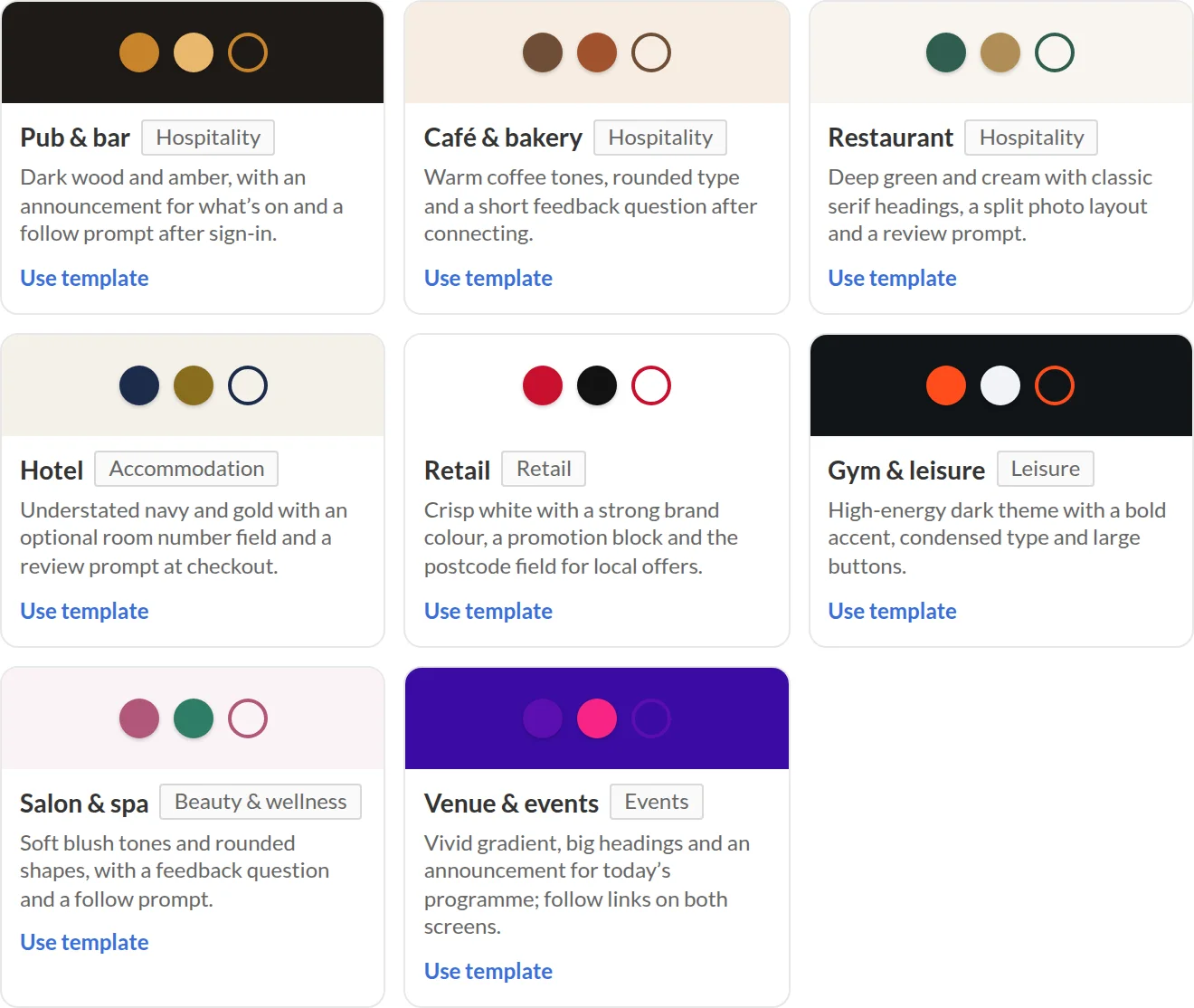
Template gallery: pub, café, restaurant, hotel, retail, gym, salon, events

Make it yours: every template is fully customisable

A template only sets the starting look and wording. Everything below can be changed on any template, per venue, without a designer.

  • Your logo and coloursUpload your logo (small, medium or large; left or centred; square, rounded or circle) and set the button, text, background, card and link colours.
  • Background and layoutA solid colour, a gradient or your own photo with a tint for legibility, in a centred card, full-bleed or split-image layout.
  • Type and shapeEight type styles, from classic serif to condensed, plus heading size, corner radius, button shape and input style. Fast system fonts, so nothing slows the guest network.
  • Drag-and-drop blocksReorder or switch off the language selector, logo, welcome, announcement, promotion, sign-in form, consents, connect button, feedback and follow-us blocks.
  • Your words, every languageEvery headline, message and button in each language you switch on: English, Welsh and 14 more.
  • The questions you askShow, hide or require the built-in fields and add your own: text, dropdown, radio buttons, tick box, date or number.
  • How guests sign inRegistration form, email or SMS code, one-tap access, or Google, Microsoft, Apple, Facebook and LinkedIn buttons.
  • The screen after "Connect"Your own "you’re online" message, a redirect to your menu or website, review links, a feedback question and follow-us links.
Analytics & demographics

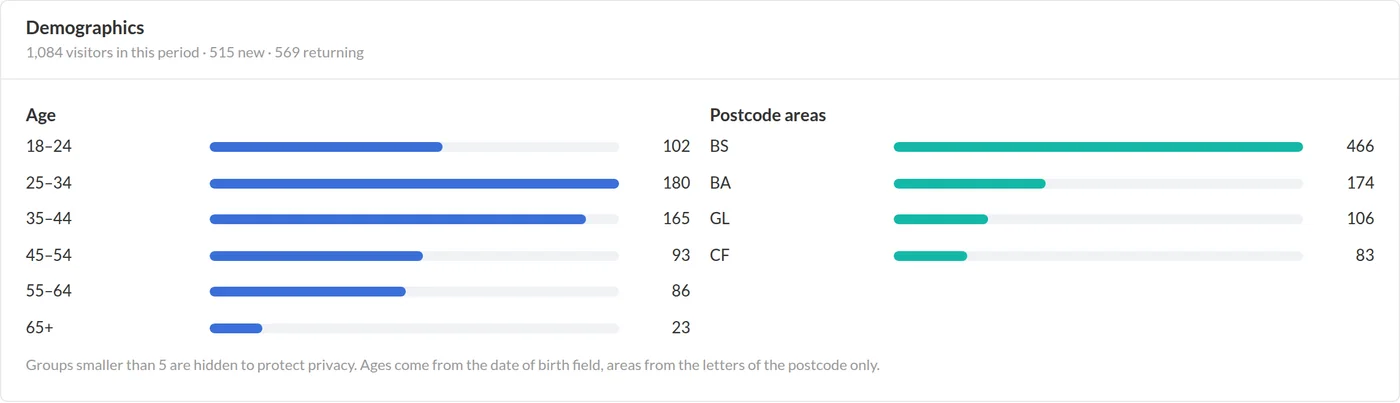
New versus returning, opt-in rate, busiest hours per site, and where your guests come from, aggregated so no individual can be picked out.

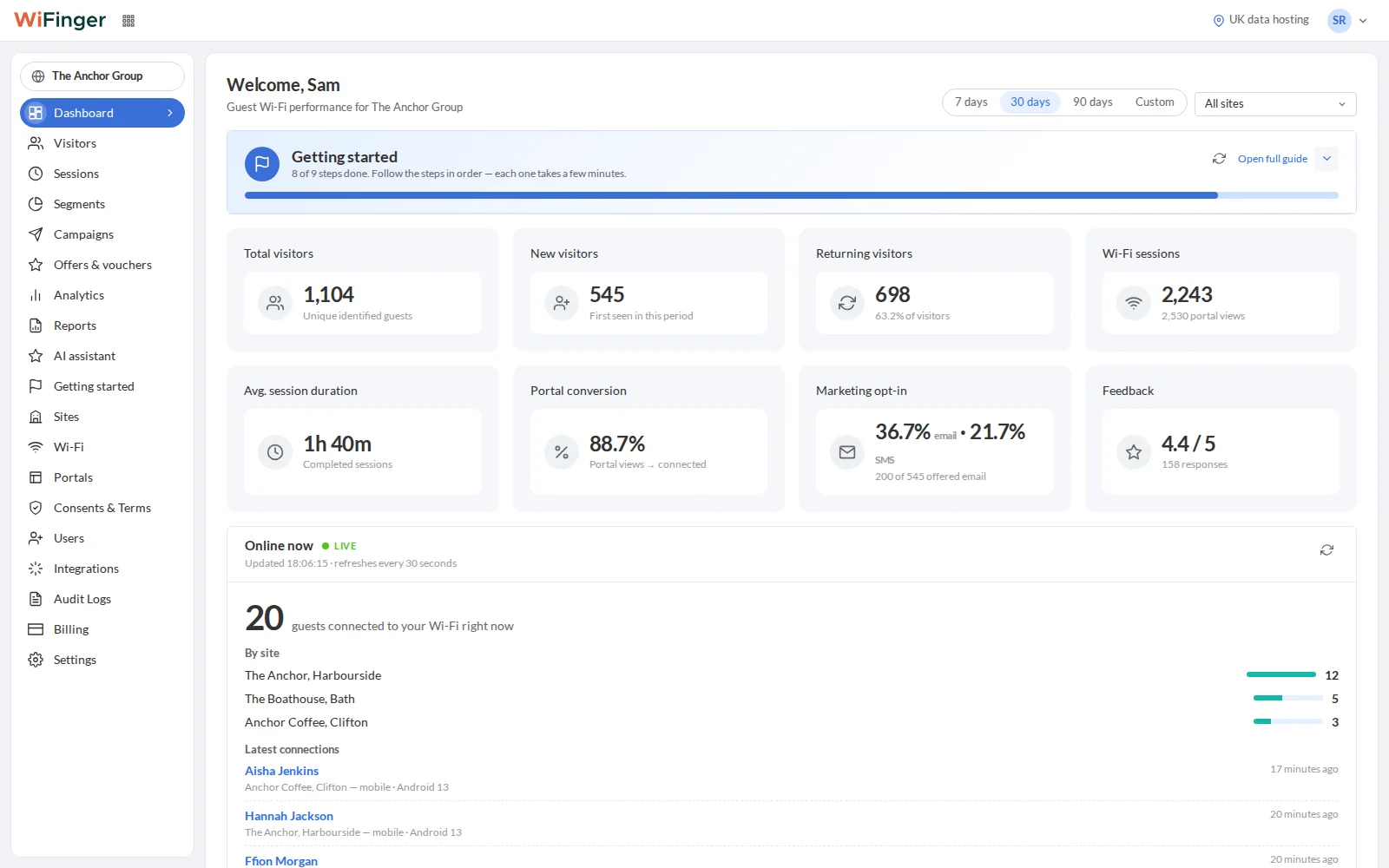
  • Dashboard KPIs for the week, per site or across the group
  • 7 x 24 busiest-hours heatmap
  • Age bands and postcode areas with k-anonymity (groups under 5 are hidden)
  • CSV export and scheduled email reports
Demographics report by age band and postcode area
Enterprise plan

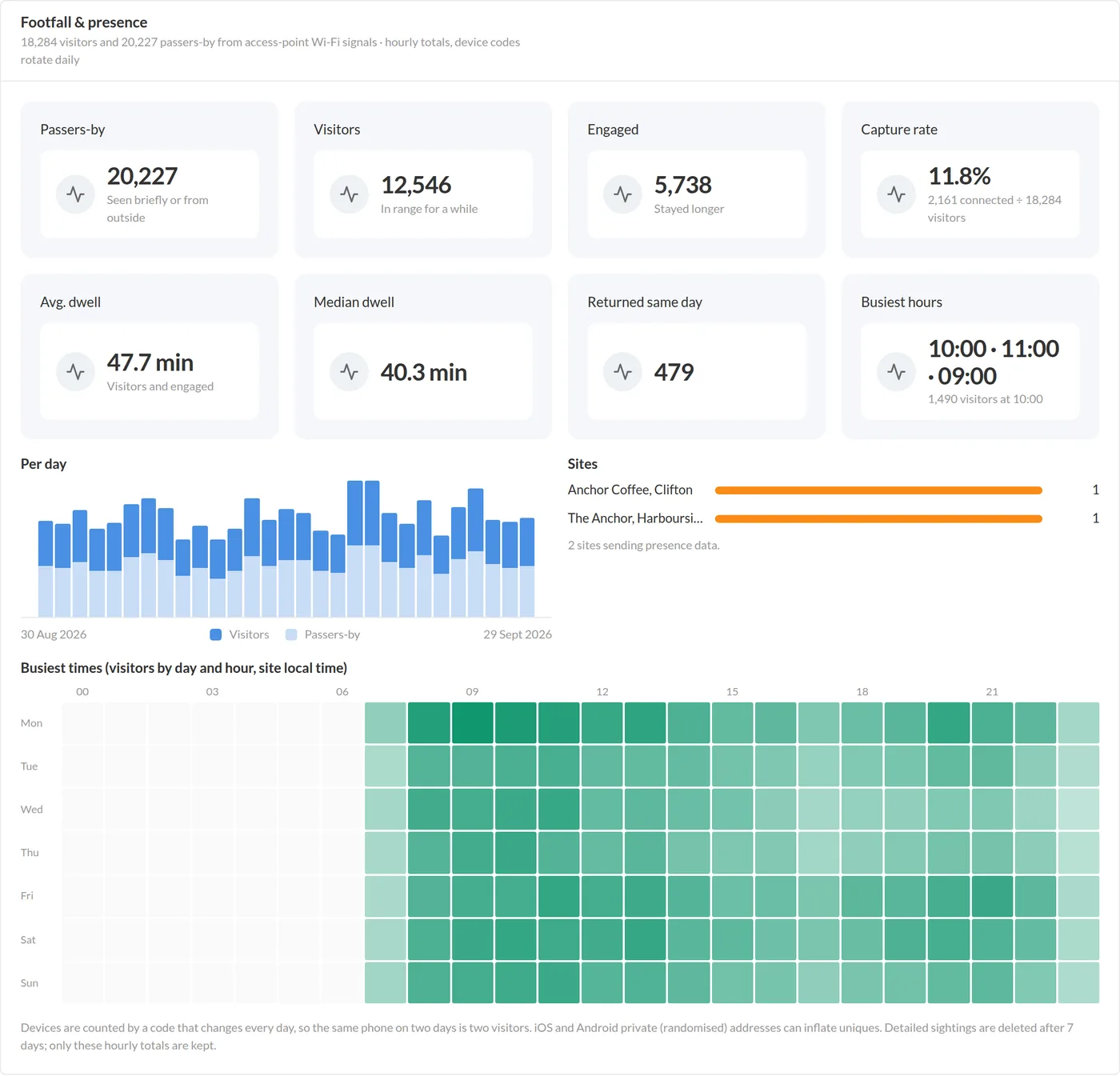
Footfall & presence

Your access points already hear every phone nearby. WiFinger turns that into passers-by, visitors and dwell time without ever storing a MAC address.

  • Capture rate: how many passers-by come in, how many sign in
  • Dwell time and same-day returns
  • Hashed with a daily key before storage; raw sightings deleted after 7 days
  • Meraki Scanning API, Grandstream GWN presence and a generic receiver
Footfall and presence analytics: passers-by, visitors, engaged, dwell
Engage plan

Journeys & campaigns

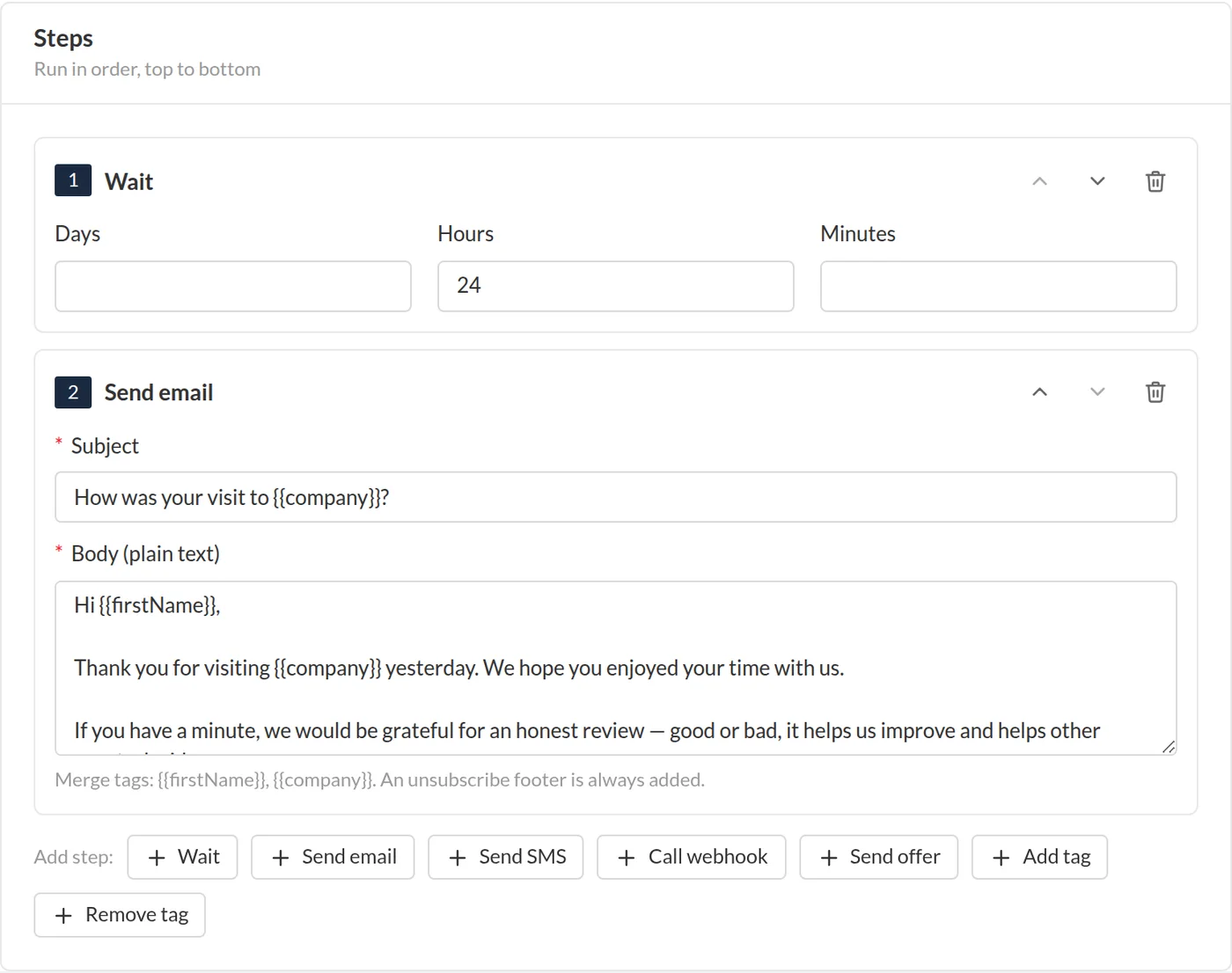
Switch on a recipe or build a journey step by step: wait, check a condition, send an email or SMS, attach an offer. Every send passes the consent gate.

  • Recipes: review request, welcome, win-back, loyal guest, consent confirmation
  • Segments by visits, last seen, site, tags and custom fields
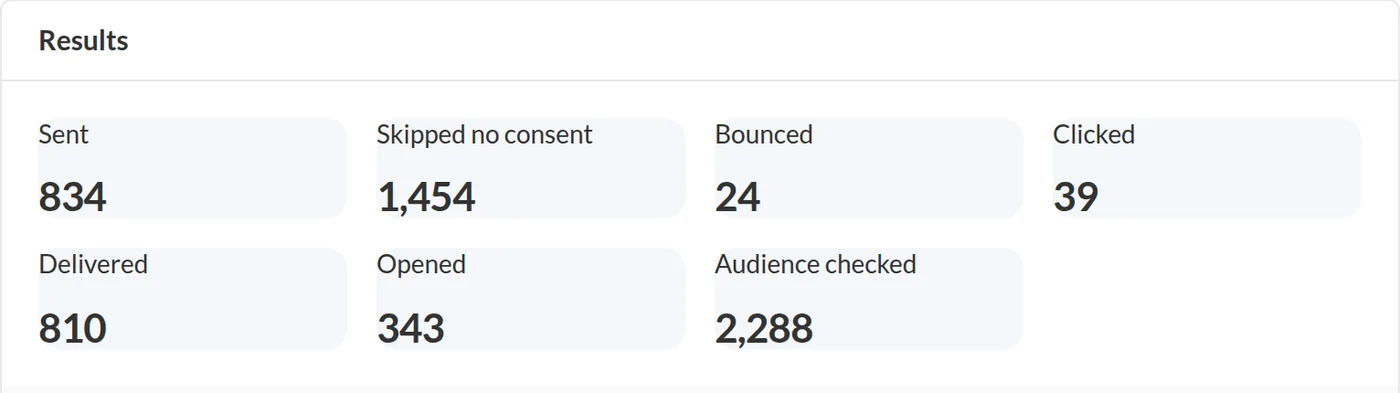
  • Email and SMS campaigns with open and click stats
  • Withdrawal cancels in-flight journeys automatically
Automation editor with wait, condition and send steps
Engage plan

Online reviews

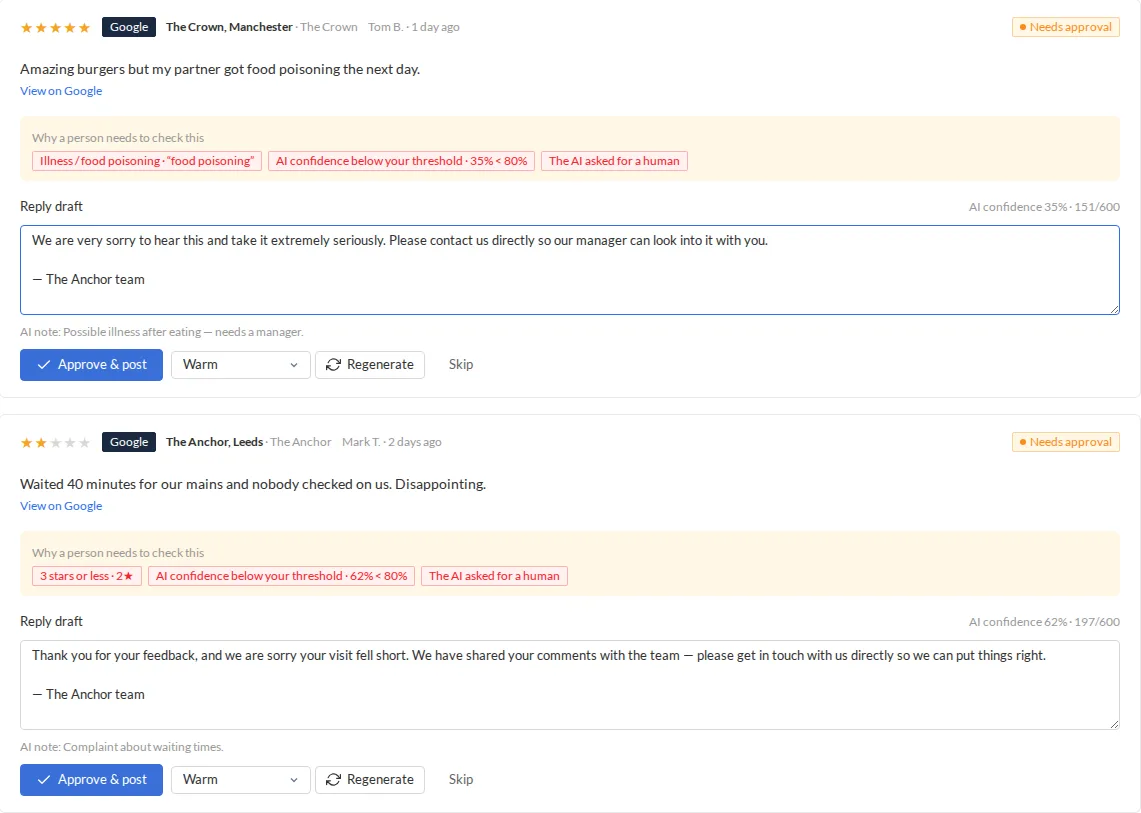
Google, Trustpilot and Tripadvisor reviews in one queue, each with an AI-drafted reply in your voice. You choose: approve every reply, or let safe ones post automatically and send the rest to a person.

  • Replies post automatically only for 4★ and 5★ reviews that pass every safety rule, after a delay you set
  • Complaints, refunds, health, allergies, named staff and low AI confidence always go to a person
  • Where a platform or plan does not allow replies by API, drafts wait ready to paste
  • Average rating, response rate and response time per site and source
Review approval queue with AI reply drafts and the reasons a person needs to check them
Engage plan

Offers & vouchers

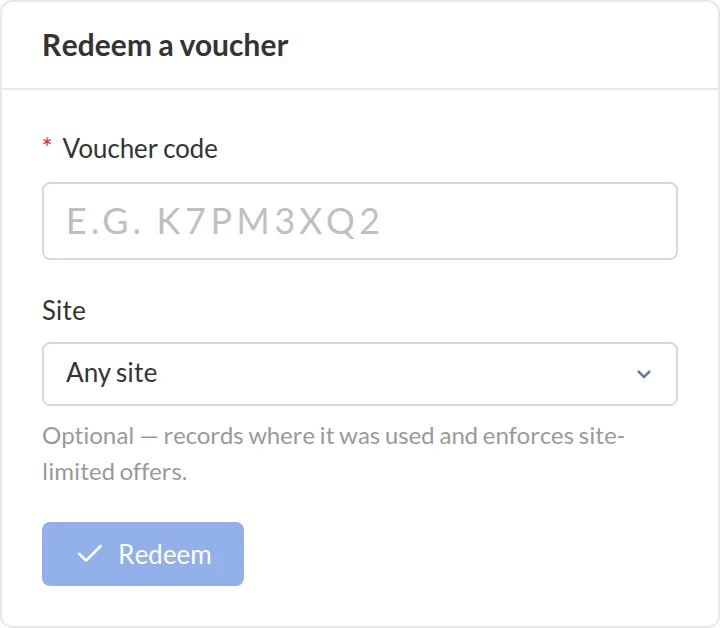
Single-use codes that a guest shows on their phone and staff redeem at the till, from a journey, a campaign or by hand.

  • Visit-based rewards (for example, the 5th visit)
  • Redeem-only login for the till, or scan the QR on the guest’s screen
  • Redemption counts per offer and per site
  • Voucher page with your branding at /v/<code>
Redeem a voucher code at the till
Enterprise plan

AI assistant

Ask "what was our busiest day last month?", get two versions of a campaign email, or a draft reply to a piece of feedback. Nothing is sent without you.

  • Analytics questions answered from aggregated data only
  • Campaign copy that follows PECR wording rules, with merge tags
  • Feedback reply drafts from the rating and comment, never the guest’s details
  • Every use audit-logged, monthly token budget per organisation
Campaign statistics

Wi-Fi health

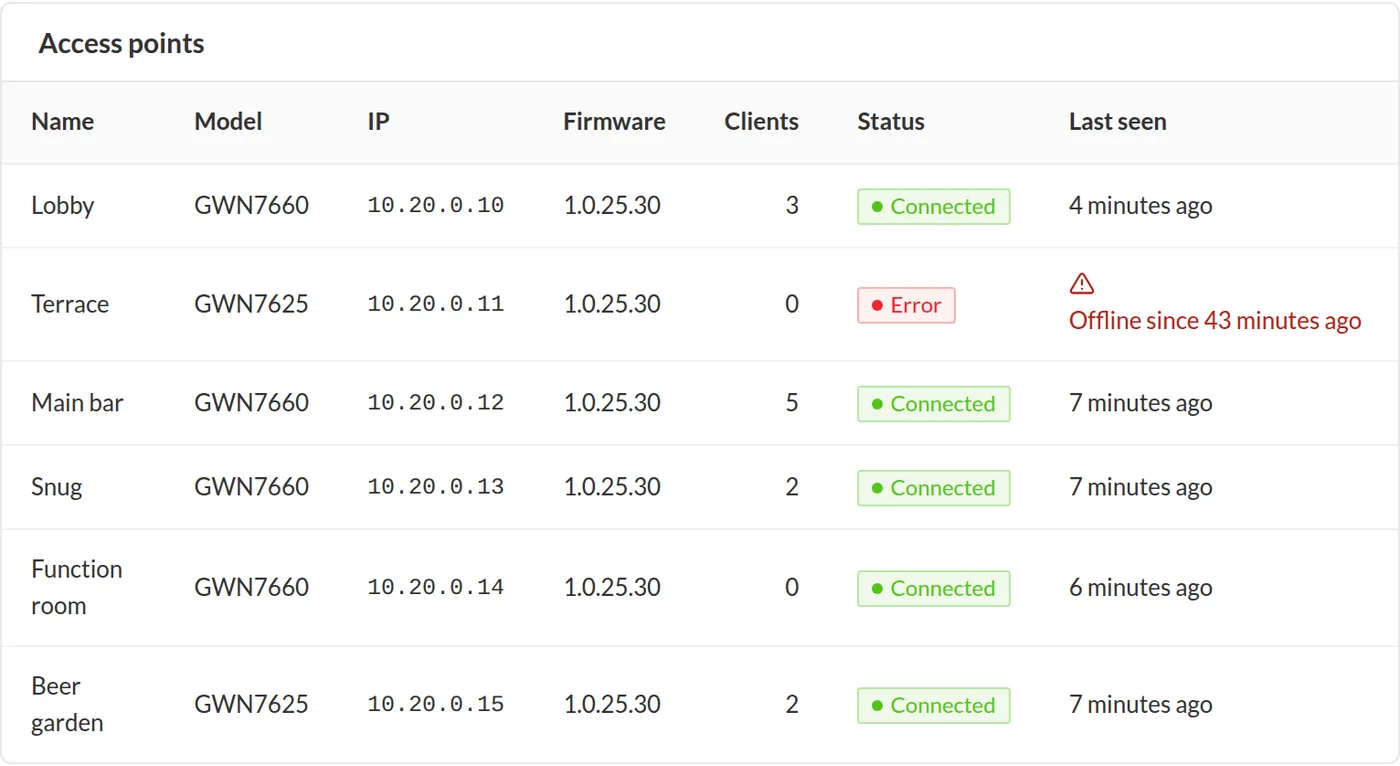
See who is online now per access point, and get an email (and a webhook) the moment an AP goes offline or comes back.

  • Live sessions per site and AP
  • Offline alerts checked every 10 minutes
  • Session history with vendor context for troubleshooting
  • Read-only: WiFinger never changes your radio settings without you
Access point health with offline alerts

QR sign

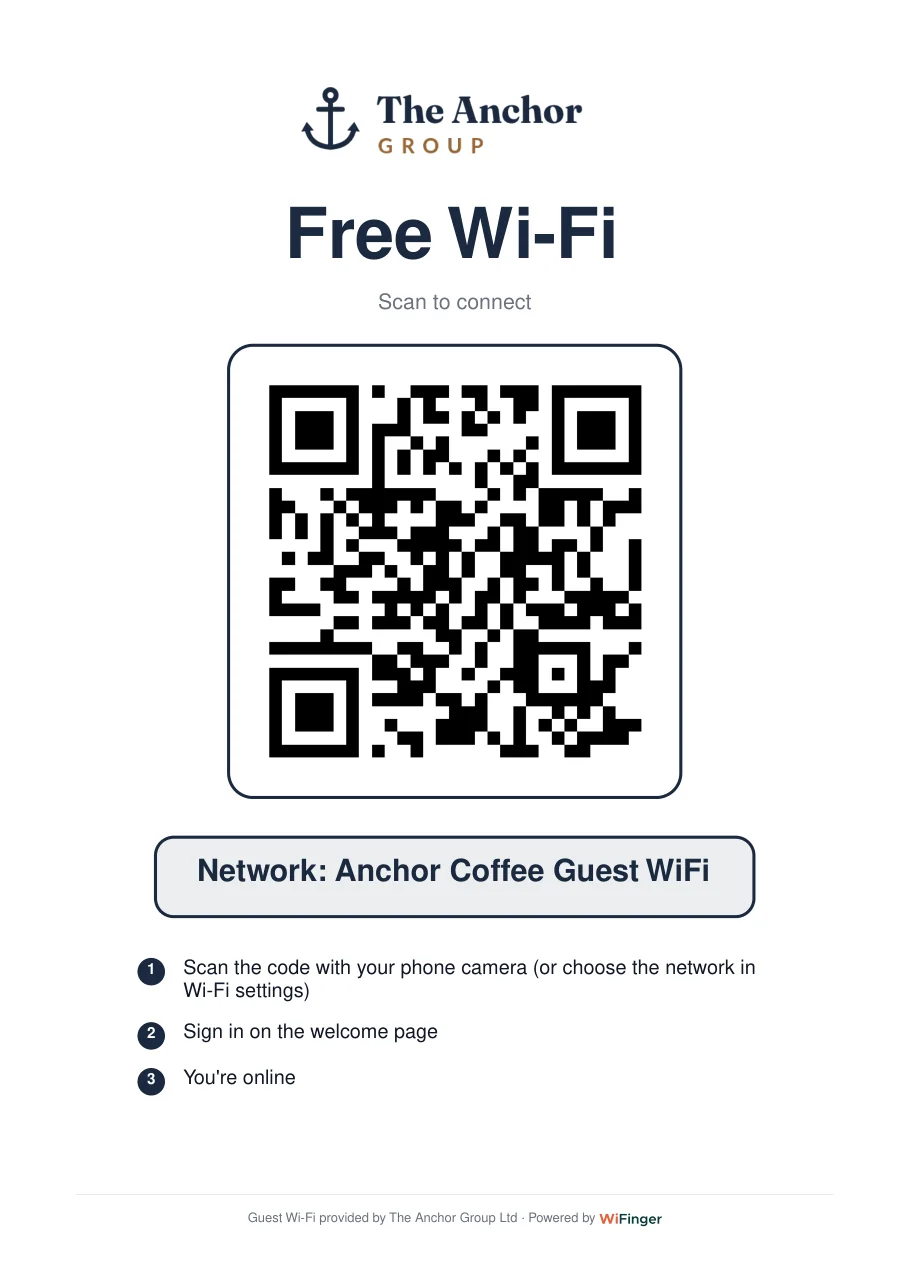
A printable "Free Wi-Fi" sign in A4 or A5, in your colours, with your logo, in English, Welsh or Turkish. Guests scan it and land on your login page.

  • PDF ready for the printer
  • One per site, with the site name
  • Also used as table cards and room cards
Printable Free Wi-Fi sign with a QR code

Integrations

Wi-Fi vendors on one side, your CRM and email tools on the other, and a documented REST API with signed webhooks in between.

  • Grandstream GWN, Ubiquiti UniFi, Aruba, MikroTik, Omada, Meraki, OpenWrt, pfSense
  • Mailchimp, HubSpot, Klaviyo, Brevo native sync on Enterprise (opted-in guests only)
  • Zapier and Make via REST hooks
  • OpenAPI docs and API keys with scoped permissions, in your dashboard
All integrations
WiFinger dashboard overview

Try it on your own Wi-Fi this week.

14 days free. No card. Guided setup. Cancel in one click.